Manual enrollments: Enroll Windows devices
Prerequisites
Azure AD domains
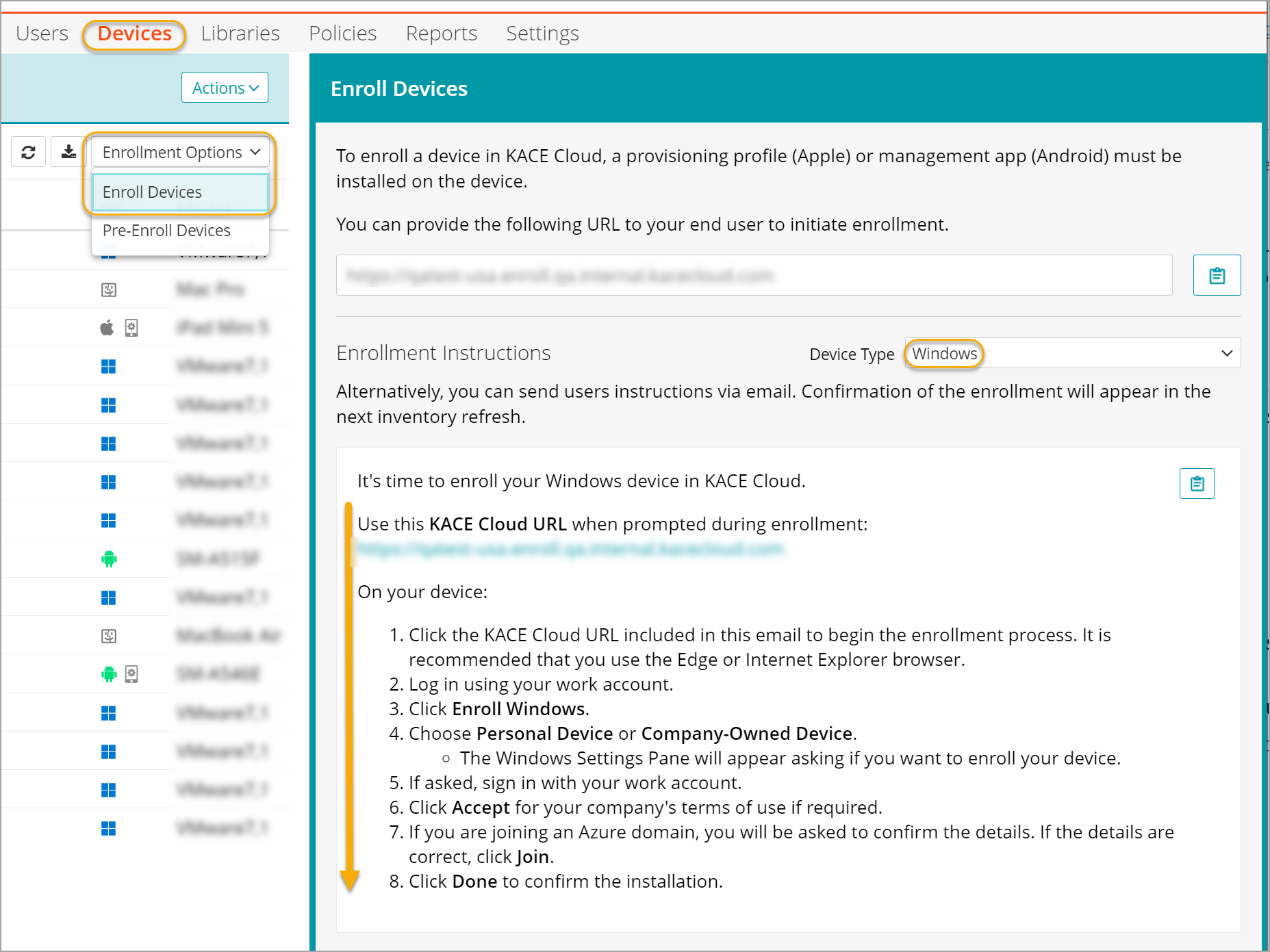
To initiate device enrollment:
- Select the Devices tab in top navigation.
- Click Enrollment Options and choose Enroll Devices.
- In the Enroll Devices view that appears on the right, click Device Type and select Windows.
Administrators can provide the provided enrollment URL to the device user to initiate enrollment, or send the URL with instructions by email. The administrator can assemble the enrollment URL using the following syntax:
- https://yoursubdomain.enroll.kacecloud.com
- https://yoursubdomain.enroll.westeurope.kacecloud.com (westeurope data centers only.)